No Asteroids System Requirements
Official Windows and Mac specs plus practical notes for demo and launch.
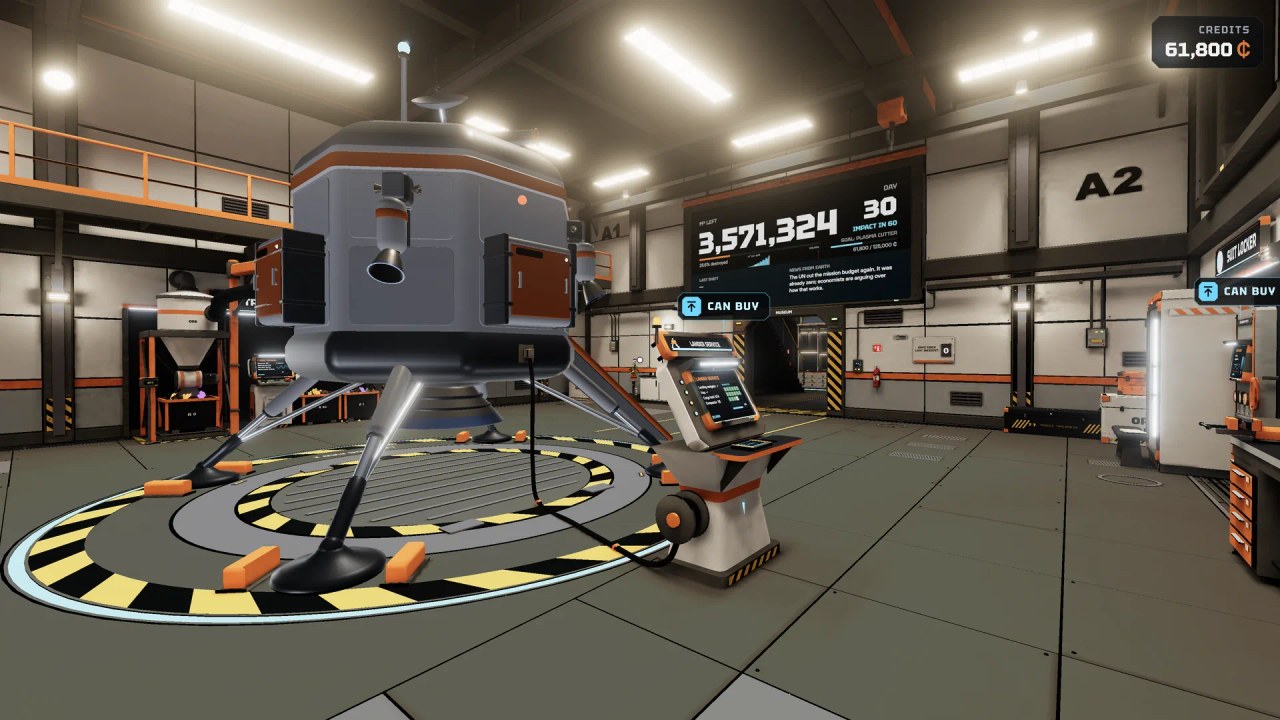
Can your machine dig 5,000,000 m³ before Earth finds out? This page lists official Steam system requirements for No Asteroids (Unruled Games, full release November 24, 2026, $7.99) and adds practical advice for the free 15-day demo, solo play, and online co-op up to eight. Parent hub: Tools. Always re-check the Steam store page if Valve’s tables change.
No Asteroids is a first-person voxel mining sim with destructible terrain, automated ship guns, and satirical ship life between shifts. It is light on install size (~1 GB) but busy on CPU/GPU when caves open and multiple miners join. Meeting minimum means the game should run; meeting recommended means longer shifts stay smoother when missiles, drones, and orbital fire overlap.
Windows — Minimum
- OS: Windows 10 64-bit (64-bit processor and OS required)
- CPU: 4 cores — Intel Core i5-7400 / AMD Ryzen 3 1200
- RAM: 8 GB
- GPU: DirectX 11 GPU with 2 GB VRAM — GeForce GTX 1050 / Radeon RX 560 / Intel Iris Xe
- DirectX: Version 11
- Storage: 1 GB available space
- Notes: Mouse and keyboard or a controller. Online co-op needs internet.
Minimum reality check
8 GB RAM shared with Chrome, Discord, and Steam overlays will stutter first. Close heavy tabs before co-op. Iris Xe integrated graphics can handle early demo days; expect to lower expectations when eight players plus ship guns light up the rock. Keep Windows 10/11 updated and install current GPU drivers from NVIDIA, AMD, or Intel.
Windows — Recommended
- OS: Windows 10 / 11 64-bit
- CPU: Intel Core i5-10400 / AMD Ryzen 5 3600
- RAM: 16 GB
- GPU: GeForce GTX 1660 / Radeon RX 5600 XT, 4 GB VRAM
- DirectX: Version 11
- Storage: 1 GB available space
- Notes: Mouse and keyboard or a controller. Online co-op needs internet.
Recommended reality check
16 GB RAM is the comfort line for voice chat, browsers with wiki tabs (Guides, Tier List), and recording. A 1660-class GPU keeps particle-heavy moments—missile swarm, charges, orbital strikes—more readable so you do not miss the lander countdown in co-op.
macOS — Minimum
- Processor requirement: Apple processor (Apple Silicon only)
- OS: macOS 12 Monterey
- CPU: Apple M1
- RAM: 8 GB
- GPU: Apple M1 integrated GPU
- Storage: 1 GB available space
- Notes: Apple Silicon only. Mouse and keyboard or a controller. Online co-op needs internet.
Intel Macs are not in the official table. If a friend still runs an Intel MacBook, they need a Windows PC or a newer Apple Silicon machine.
macOS — Recommended
- Processor requirement: Apple processor
- OS: macOS 14 Sonoma or newer
- CPU: Apple M1 Pro / M2 or newer
- RAM: 16 GB
- GPU: Apple M1 Pro / M2 GPU or newer
- Storage: 1 GB available space
- Notes: Apple Silicon only. Mouse and keyboard or a controller. Online co-op needs internet.
Input, accessibility, and Steam features
Steam lists full controller support (Xbox; DualShock / DualSense over USB), single-player, online co-op, cross-platform multiplayer, achievements, and family sharing. Accessibility tags include camera comfort, custom volume controls, and playable without timed quick-time events. Demo patches added deeper keyboard rebinding and gamepad sensitivity options—see Controls and Patch Notes.
Storage and install tips
One gigabyte is tiny by 2026 standards, but:
- Install on an SSD when possible for cleaner streaming of voxel chunks
- Leave headroom for Steam shader caches and future patches
- Demo and full game share the carryover story—keep them on the same computer as Unruled Games documents
Co-op hosting hardware
The host’s save runs the campaign. Prefer the strongest upload and most stable machine as host when eight miners join. Minimum-spec hosts can still play, but join freezes and simulation hitching hurt everyone—demo patches already shortened some freezes, yet physics remains shared work. Wired Ethernet for the host remains free performance.
Cross-play between Windows and Mac is part of the feature set; verify everyone updated after a patch Tuesday before blaming platforms.
Steam Deck and handhelds
As of the pre-launch window, Steam Deck compatibility may still show as unknown on the store. Deck players should test the demo, verify controls in-game, and watch for an official rating after launch. This wiki will note verified Deck results under Updates when they exist—do not assume Proton defaults without a personal test.
Before you dig checklist
- Match OS + CPU generation to the tables above
- Confirm 8 GB minimum RAM free enough to launch; 16 GB for comfort
- Update GPU drivers / macOS
- Plug in a controller if that is your plan (supported since the November 12 demo update)
- Read Getting Started and set expectations for the 90-day contract
- Bookmark Official Links for Discord help if a friend fails to launch
Related pages
- Tools Hub · Updates · Players
- Demo Guide · Mining tips
- Gear planning: Mining tools tier · Ship weapons tier
Meet the spec, update the build, then worry about antimatter prices—not whether Iris Xe can open the workshop menu.
Frequently Asked Questions
Quick answers to the most common No Asteroids questions.
What are the Windows minimum specs for No Asteroids?
Windows 10 64-bit, i5-7400 or Ryzen 3 1200, 8 GB RAM, GTX 1050 / RX 560 / Iris Xe with 2 GB VRAM, DirectX 11, and 1 GB storage.
What are the Windows recommended specs?
Windows 10/11 64-bit, i5-10400 or Ryzen 5 3600, 16 GB RAM, GTX 1660 or RX 5600 XT with 4 GB VRAM, DirectX 11, and 1 GB storage.
Can I play on Mac?
Yes on Apple Silicon only. Minimum is macOS 12 with M1 and 8 GB RAM; recommended is macOS 14+ with M1 Pro / M2 class and 16 GB RAM.
Does online co-op need better hardware?
Official minimums still apply, but 16 GB RAM and a recommended GPU make eight-player sessions and host duty much smoother. A stable internet connection is required.
How big is the install?
About 1 GB available space on both Windows and macOS according to Steam. Keep extra free space for patches and overlays.