No Asteroids Controls Guide
Keyboard, mouse, and full controller support for every mining shift.
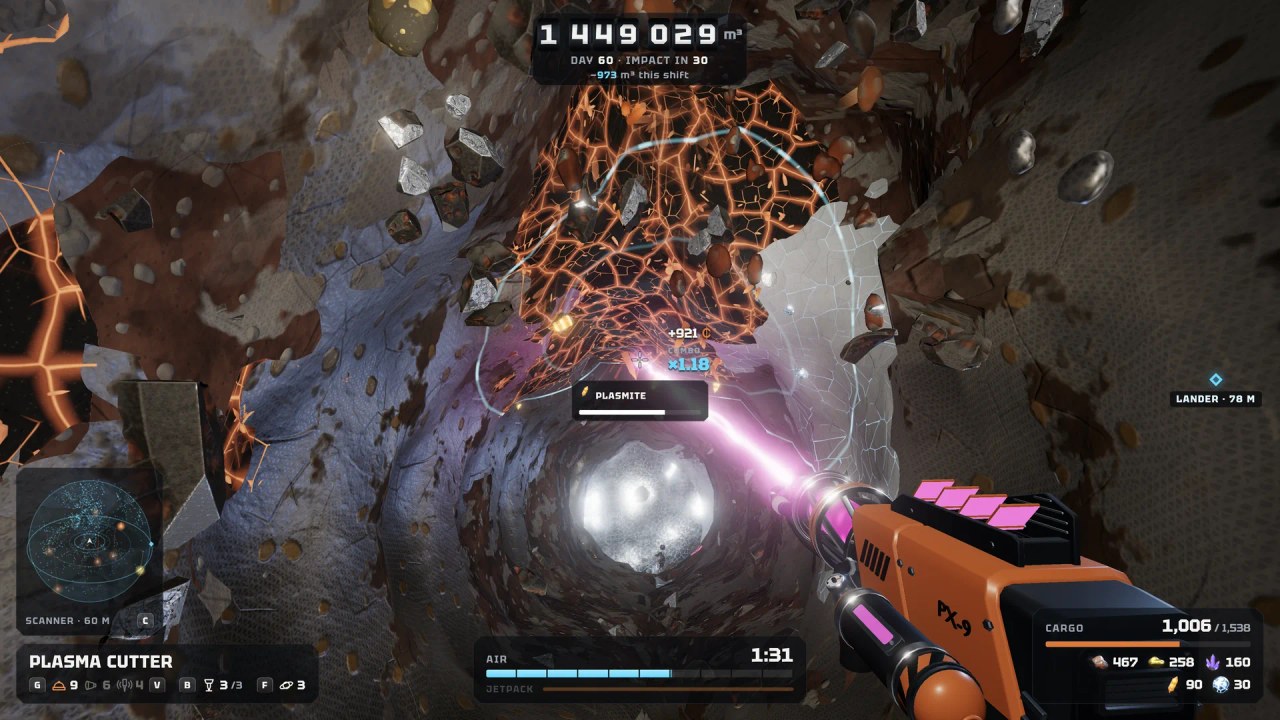
Comfortable controls decide whether a No Asteroids shift ends with a full sale or a blackout on the rock. The game ships with mouse and keyboard defaults plus full controller support (Xbox layouts, DualShock over USB, DualSense over USB). This page documents the actions you will rebound most often, how demo controller prompts behave, and how co-op teammate outlines are shown through voxel walls. Pair it with Getting Started for the loop and Co-op Guide for lander etiquette.
No Asteroids targets Steam on Windows 10/11 64-bit and Apple Silicon macOS. Confirm hardware on System Requirements if input lag might actually be a GPU or thermals issue.
Core actions you must know
Regardless of device, learn these verbs on day one:
- Move / look — navigate ship corridors and asteroid tunnels
- Mine / primary tool — swing pickaxe or fire the active tool
- Interact / use — board lander, sell at trade terminal, buy upgrades, open doors
- Jump / crouch (if available on your bind set) — traverse uneven voxel geometry
- Tool / weapon cycle — switch among unlocked mining tools
- Teammate outline — show names, distances, and silhouettes through rock (co-op)
- Pause / settings — sensitivity, invert, rumble, rebinds
Exact default letters can vary by locale build; always verify inside Settings → Controls after a patch. Unruled Games has expanded rebind support to right/middle/side mouse buttons, arrow keys, numpad digits, Enter, and Numpad Enter while preserving existing custom binds when new actions appear.
Mouse and keyboard tips
Mining feel. Keep sensitivity high enough to track floating chunks after a blast, but low enough that deep shafts do not induce nausea. Camera comfort options exist for a reason—use them if long sessions blur.
Interact discipline. Mis-clicking interact near the lander seat can start a departure sequence in co-op contexts where seated players control the countdown. Face away from the hatch until the crew calls ready. Read Co-op Guide before hosting.
Teammate outline default. Middle mouse button toggles or holds teammate names, distances, and outlines through rock. Rebind if your mouse uses middle-click for other OS shortcuts. Display style is adjustable in Settings—pick the option your crew can actually see against bright ore.
Side buttons. Bind tool swap or outline to mouse 4/5 so you never open the wrong menu mid-air emergency. Keep a free finger for the lander path sprint home.
Controller support (demo and full game)
The free demo gained controller support early: right trigger swings the pickaxe, and at the ship trade terminal the right stick sells your haul. Open gamepad settings to adjust:
- Stick sensitivity
- Invert vertical look
- Rumble on/off
Full controller support is listed on the Steam page, including playable-without-timed-input style accessibility notes and custom volume controls. If a prompt confuses you, fall back to mouse for shop purchases, then return to the pad for digging—hybrid input is fine while you learn.
Suggested pad habits:
- Calibrate look before the first descent, not halfway through a low-air tunnel.
- Map or memorize the interact button used for lander boarding—cargo loss is brutal.
- Practice selling with the right stick in a safe hangar moment so you do not fumble after a rich shift.
- Test rumble intensity; constant vibration during missile swarm fire can mask useful cues.
Co-op-specific input
Eight-player sessions add communication load. Bind teammate outline to something you can hit without stopping movement. Call lander countdowns on voice; do not rely on a seated player “accidentally” starting the 10-second timer. Hosts who kick griefers still need a free hand for Steam overlay invites—keep overlay toggles away from mine/interact keys.
When guests recover from blackouts or stay aboard, newer patches prevent them from interrupting an active shift by launching separately. If launches still feel wrong, check Patch Notes and re-verify who is seated.
Accessibility and comfort
Steam lists camera comfort options, custom volume controls, and playable-without-timed-input support among accessibility features. Use them:
- Lower motion intensity if voxel chunk pops cause discomfort.
- Separate UI and SFX volumes so lander warnings stay audible.
- Prefer hold-to-mine vs frantic click spam if your binds allow smoother tool use—air, not APM, is the real timer.
Family Sharing and Steam Achievements are available; they do not change binds but matter for who owns the co-op host copy.
Ship vs asteroid control contexts
On the ship: precision aiming matters less; interact accuracy matters more. Slow down near shop terminals so you sell instead of walking past with a full bag. Explore hangar, workshop, museum, and observation dome between days—story flavor lives here.
On the asteroid: prioritize mining button reliability and movement. Keep a mental bind for “outline teammates” and “path to lander.” When charges, plasma cutters, or missile swarm unlock, practice each tool in a low-value crater before taking them into a crowded co-op face. Tool rankings: Tools Tier List. Ship guns fire automatically once bought—you generally are not manually aiming the black-hole mount from first person while digging.
Troubleshooting input problems
- Pad not detected: reconnect USB for DualShock/DualSense; confirm Steam Big Picture / controller config is not overriding with a broken template.
- Look feels sluggish: raise sensitivity; check VSync and frame rate on System Requirements class hardware.
- Cannot sell: ensure you are at the trade terminal context where right stick / interact sells—unsold ore will not fund tools.
- Outline does nothing: you may be solo, or the bind changed after a patch—reset in Settings.
- Accidental launch: stand clear of seats; assign one lander lead per Co-op Guide.
Practice routine (10 minutes)
- Rebind outline and tool swap to comfortable keys or buttons.
- Swing the pickaxe for one minute at a hangar dummy face or early crater.
- Board and exit the lander twice without starting a live countdown in co-op.
- Sell a tiny haul with both mouse and controller if you own both.
- Open Settings once more and screenshot your bind page for friends.
Related guides
Continue to Mining Tips for air-efficient routes, Demo Guide for 15-day carryover, Tier List Hub for upgrade order, Updates Hub for control-option patch notes, Players for community feedback, and Links Hub for Discord https://discord.gg/H22BtcrTEg.
Master the binds early. The asteroid does not care that you meant to press interact instead of launch—and neither will your crew’s lost cargo.
Frequently Asked Questions
Quick answers to the most common No Asteroids questions.
Does No Asteroids support controllers?
Yes. The game has full controller support. In the demo, right trigger swings the pickaxe and the right stick sells ore at the trade terminal, with sensitivity, invert-Y, and rumble options.
How do I see teammates through rock in co-op?
Use the teammate outline action (default middle mouse). It shows names, distances, and outlines through voxels and can be rebound in Settings.
Can I rebind mouse side buttons and numpad keys?
Yes. Updates expanded binding support to right, middle, and side mouse buttons, arrow keys, numpad digits, Enter, and Numpad Enter while keeping existing custom binds.
What input mistakes cause lost cargo?
Missing the lander after a shift. In co-op, a seated player can start a 10-second countdown—keep clear of seats until the crew is ready and assign a lander lead.
Where should I practice controls before a long dig?
Calibrate sensitivity on the ship, test sell input at the trade terminal, then run a short asteroid shift focused on air and return path before committing to deep tunnels.